About
What is softwareAssistant?
softwareAssistant (SA) is an IT support tool that allows end users to install software or change settings on their computers without needing and admin account.
SA also allows IT admins to deploy software and settings to computers when provisioning and on an ongoing basis.
SA also allows IT admins to collect information from deployed computers such as upgrade compatibility, disk encryption status, IP address information, etc.
How it Works, Briefly
softwareAssistant uses a simple client-server model. The client contains a graphical interface for the user to request actions, and a system service to perform the requested actions.
The server side is a LAMP stack (Linux, Apache, Mysql, PHP). Samba is also recommended to simplify maintaining the server repository. OpenSSL and php_openssl are used by the certificate authority.
softwareAssistant uses mutual TLS authentication to secure the connection between the client and the server. SA includes a basic certificate authority to generate the x509 certificates used by the client and the server. The client and server validate each other by making sure the remote certificate was signed by the certificate authority (also known as CA Pinning).
The Client Software
The client software runs with standard privileges, and is how the end user manually requests an action. The request is logged on the server, and depending on its configuration, the action will either start immediately, or be queued for approval by the IT admin.
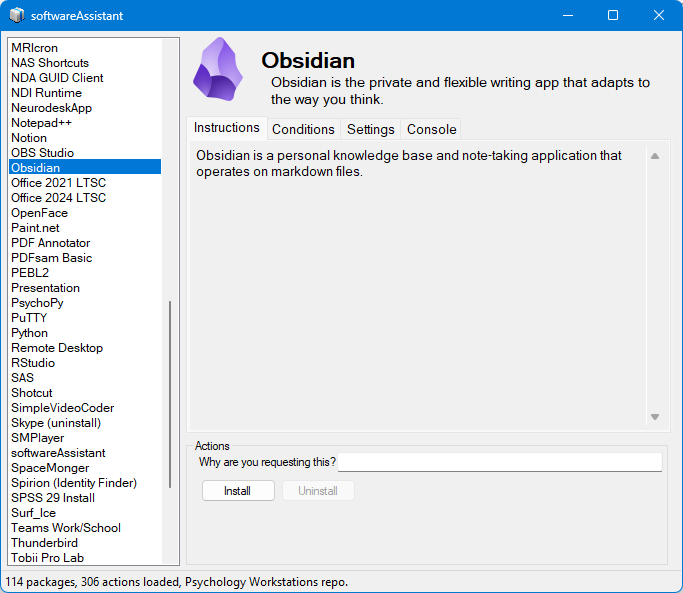
The system service runs with admin privileges, so it is responsible for running the requested (and approved if configured) actions. The end user has no direct access to the system service.
The system service also periodically checks for pre-approved actions and runs them if their conditions match.
The Goal
It is my intention to keep SA as simple as possible. With that in mind, these are the goals for SA:
- The codebase should remain as simple and readable as possible.
- The compiled app should exclude complex tasks which can be completed with a script.
- When configured properly, the API should be safe enough to use on the open internet.